
We are the makers of PDF Annotator, the world's first dedicated solution for PDF commenting and markup - since 2004!

More on: www.PDFAnnotator.com
 (2771 user ratings, March 2024)
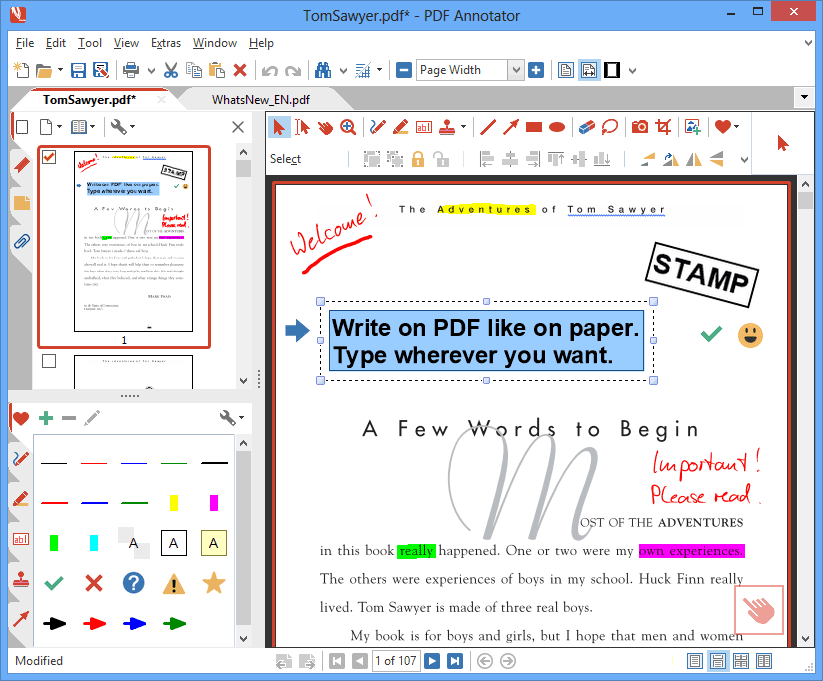
Click to enlarge screen shots
How does it work?
- Add notes & annotations to any PDF document:
Comments, corrections, signatures, highlighting, even photos and drawings. - Save annotations in the original file.
Share them with coworkers, email them to partners or back to the authors - with no special software needed to view the marked up document. - Type comments on top of PDF content.
Paste in images, use a stylus or drawing tablet if you have them. - Restore to the original document at any time.
Remove or hide all markup with just one click. - Insert blank pages for more space.
Combine documents, copy, re-order or remove pages.
240,000+ PDF Annotator Lovers!
Today, our software is being used by more than 240,000 happy customers in 89 countries.
Here's what they say about PDF Annotator:
I have been an avid fan of PDF annotator for six years (I'm in science research). So I just wanted to email you and say THANK YOU! Thanks for creating such a great program and for making software that is so user friendly. As a consumer, I really appreciate it and you are definitely the exception in the field.
I am in love with it and use it on a daily basis.
Kyle Andrews Michigan
It's a killer-app on a TabletPC.
Alexei Gilchrist Brisbane, Australia
The real power and "Ah-ha" moment is when I pull up PDF Annotator in a video conference and my PDF becomes a virtual whiteboard. I write notes, edit drawings, solve problems, fill in blanks, in the group environment as if we are in a meeting room together. The whiteboard in the palm of my hand is my new most powerful application. I can live without most of the apps on my tablet if I have to. I can't live without PDF Annotator.
More on: www.PDFAnnotator.com
Get this must-have PDF tool for your PC!
Either install our 30-day trial today, or make use of our 60-day money back guarantee. We know that you will like it.